Assignment 1 : Screen saver
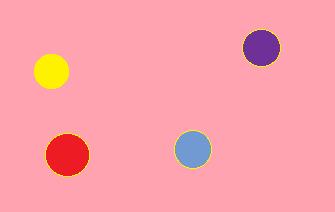
In this assignment, you are supposed to
create a simple screen saver application. The application displays N
balls on the screen. Each ball starts from a random position on the
screen, and starts moving in a random direction. The collision of a
ball with another ball, or the wall of the screen must be simulated
using perfect reflection (no friction). Each ball on the screen is
simulated by one thread. The collision between two balls must be
simulated using messages between their respective threads. The speed of
each ball can be increased / decreased by the user.
The assignment should be done in a group of 3 students.
Setup :
Important dates :
Design Document :
Submit a design of the proposed solution by 14th January. The design document should be written using latex. It should contain following details :
Final Code Submission :
Each team member is supposed to submit the same code on moodle. The code should be bundled in a tar ball named <entry_no_1>_<entry_no_2>_<entry_no_3>.tar.gz. The parent folder of the submission should have following files :
Simple Guide :
Since this is the first assignment, we are giving a roadmap for the students. Follow this roadmap to make your life easier and more predictable :)
The assignment should be done in a group of 3 students.
Setup :
- Environment : Linux OS ONLY (Preferably Ubuntu)
- Language : C++
- GUI : OpenGL
- Threads : pthreads, c++ thread (Preferably pthreads)
- Interthread synchronization : Mutex, Semaphore (Preferably mutex)
Important dates :
- Design document submission : 11:59 pm, 14 January, 2015
- Final code submission : 11:59 pm, 25 January, 2015
Design Document :
Submit a design of the proposed solution by 14th January. The design document should be written using latex. It should contain following details :
- What is the overall design of the proposed solution
- What are the sub components. Example : GUI, Physics.
- How do you plan to test each sub-component. Design test cases for each subcomponent.
- How do these sub-components interact with each other
- How will threads interact with each other
- What
is the model of interaction between threads (barrier, one to one
communication, optimized one to one communication) ? What is the reason
behind this decision ?
- Barrier : All threads proceed in a lock step fashion. The position of each ball is exchanged at each step. This is the easiest, and the most inefficient way to synchronize two threads.
- What is the mechanism of synchronization : mutex or semaphore ?
- How do you maintain variable ball speeds ? [You can assume a pre-defined maximum and minimum speed]
Final Code Submission :
Each team member is supposed to submit the same code on moodle. The code should be bundled in a tar ball named <entry_no_1>_<entry_no_2>_<entry_no_3>.tar.gz. The parent folder of the submission should have following files :
- makefile : We will type "make execute num_thread=n". This should
compile the code, and run the application with n threads. All corner
cases should be handled by the students.
- README : The code details must be mentioned here. Also write a HOW TO USE for the application.
- CHANGES : If you have diverged from the design document, mention the reasons here.
- code : The code directory must contain all the code
Simple Guide :
Since this is the first assignment, we are giving a roadmap for the students. Follow this roadmap to make your life easier and more predictable :)
- GUI : Go to the openGL tutorial, and see how to create basic shapes in openGL. Write a simple program which displays a screen, and n stationary balls.
- Physics : Start with a single threaded program. The screen has just one ball. Code the physics of ball colliding with the walls of the box correctly.
- Multiple
Threads : Simply extend the previous program to display multiple
balls instead of one. Do not worry about the collision between multiple
balls. Just allow them to pass through each other.
- Complete Game : Synchronize the ball positions between threads, and simulate their collision correctly.
- Variable speed of ball : Till now, you have assumed that each thread proceeds by the same amount. Now,
think what should be done to make the ball appear as going at different
speeds. The physics of two balls colliding with each other should not
break !! The user should be allowed to change the ball speed using command line, or a GUI button. It must be noted that a GUI option will fetch more marks than a command line option.